


Key takeaways
- In packaging, a quote is only as good as the specification behind it. The design starts with a technical requirement form, not a price.
- Every enquiry passes two checks before it is priced: an automatic feasibility check against machine limits, then a manual review by production and planning.
- One requirement form can hold several designs. Each design gets its own cost line on one consolidated quotation.
- The sales order is internal. Nothing moves to artwork or production until finance confirms the advance payment. Then sales creates the parent job code.
Overview
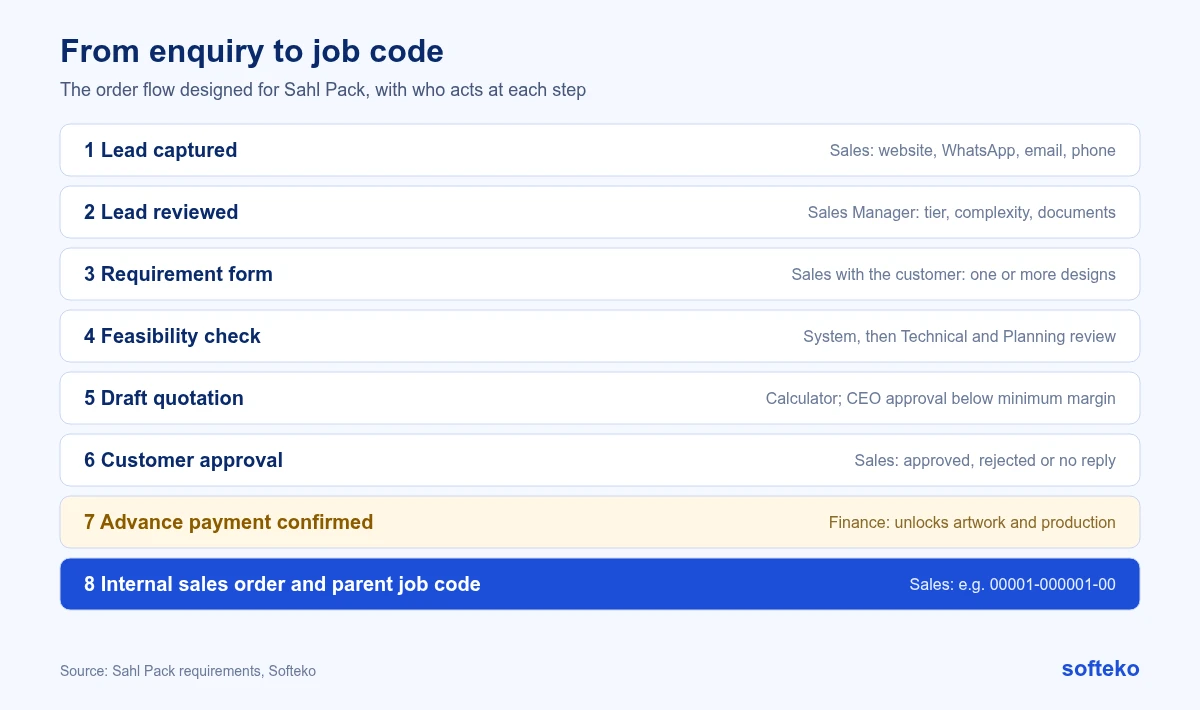
When we mapped the order flow for Sahl Pack (Modern Sahl Industries), a Saudi flexible packaging manufacturer, the enquiry-to-order stage was the first module we built. Before the project, leads arrived by email, WhatsApp and field sales, and specifications were collected in conversations and spreadsheets.
This article walks through the agreed flow, from the first enquiry to the job code that production uses. The enquiry-to-sales-order flow has been built and reviewed with the client. Artwork and production come later, so this article does not claim results from a live system.
Step 1: Capture every lead in one place
Leads come from three channels:
- Website. Enquiries from the WordPress site are sent to Odoo CRM through an API, so they no longer depend on someone reading an email.
- WhatsApp and field sales. The sales manager enters these manually.
- Tag. Every lead is tagged Inbound (digital channels) or Outbound (field sales and exhibitions), because the two carry different commission rules.
Sales reps see full detail only for their own leads. All reps can see a master list of customer names, so two people do not chase the same account. We designed the enquiry-to-order flow for a chemical trader on the same principles.
If a new lead has no activity for 72 hours, the salesperson gets a reminder. A quotation with no response for a week triggers another.

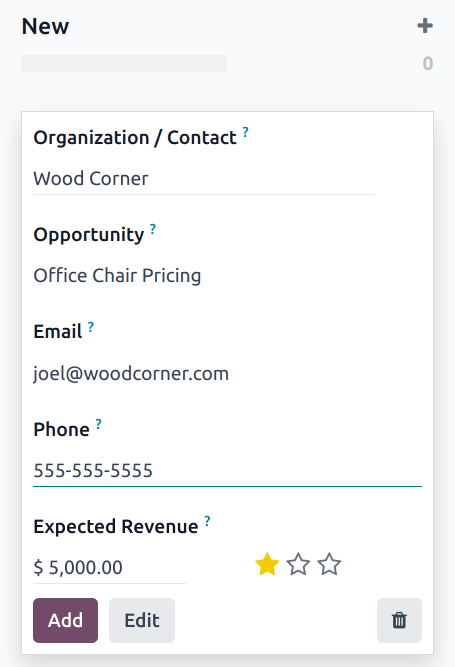
In Odoo 19, leads from a website form or a sales email address arrive in the CRM pipeline automatically, so nobody has to copy them from an inbox [1].
Step 2: Review the lead before it becomes an opportunity
The sales manager reviews every new lead.
- Repeat customers get a tier and a complexity score. Tier A is a long-term account, Tier B a one-off order that could grow, and Tier C a small or occasional buyer. The complexity score runs from 1 to 5, based on behaviour such as payment and responsiveness. A score of 4 or 5 needs senior management approval.
- New customers must provide documents before the deal continues: commercial registration, VAT certificate, proof of address and a certified bank certificate.
A rejected lead is not deleted. It follows a “reject and notify” path and stays in the system for history.
Step 3: Fill in the technical requirement form
The salesperson fills in the form from the conversation with the customer. Customers do not fill it in themselves. The main fields:
| Field | How it works |
|---|---|
| Bag type | Stand-up pouch, flat bottom pouch, quad seal pouch, 3-side or 2-side seal pouch, roll stock or label. The choice shows only the dimensions that type needs: length, width and gusset, in mm |
| Material layers | Up to four, each with material and micron thickness taken from the raw material list. Total thickness is calculated automatically |
| Colour reference | Yes or no. If yes, Pantone reference or physical sample |
| Finishes | Several can be selected, for example tear notch, zipper and round corners, or soft touch with spot gloss |
| Valve | Swiss or Chinese, because they are priced differently |
| Files | Optional upload of a basic design file and supporting documents |
A Duplicate Design button copies the specification to a new design in the same enquiry. Multi-design orders are common in packaging, and retyping four layers for each design invites mistakes.
If the salesperson chooses “Other” anywhere, the form goes to the technical team before any price is calculated.
Step 4: Check feasibility twice
Automatic check. The system compares the specification with machine limits, including the minimum and maximum gusset the pouching machine can handle. If the check fails, the enquiry is not rejected. It shows a “waiting” status, and the salesperson can agree a change with the customer and resubmit.
Manual review. If the automatic check passes, production and planning still review the job before it is quoted. Machine limits catch the obvious problems. People catch the rest.
The exact machine thresholds were still being confirmed with the client when the requirements were written. We recorded that as an open item rather than guessing.
Step 5: Produce one quotation for all designs
The costing calculator creates a draft quotation from the specification. Our article on costing a flexible packaging quote explains how it works. Here is what matters for the order flow:
- One requirement form with several designs gives one quotation with a line for each design.
- Quotation numbers follow the pattern customer short name plus a sequence, for example XYZ-Q00025.
- Sales sees a price range, not internal costs or margins.
- The sales manager reviews every draft before it is sent. Senior management approval is needed only for exceptions, such as a price below the minimum margin.
- For a repeat order, the old requirement form can be copied, but costing always runs again with current material prices.
If the customer rejects the quote or does not reply, the quotation is cancelled and the customer is notified.
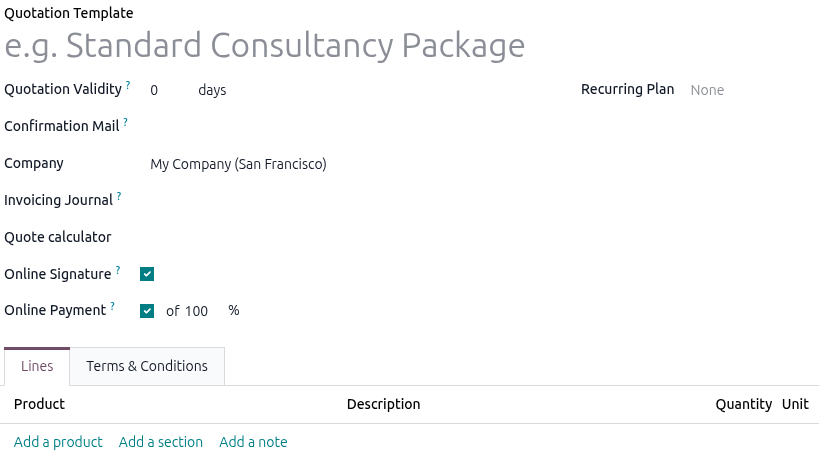
Standard Odoo quotation templates help keep the layout, terms and validity the same on every quote, including the payment terms that require an advance [2]. The prices on each line come from the calculator.
If your quotes are built in spreadsheets and copied into emails, we can show you how this flow would work in Odoo.
Step 6: Confirm the order and create the job code
When the customer approves the quotation:
- The quotation becomes a sales order. It is an internal document and is not sent to the customer for approval.
- Finance confirms the advance payment. Until then, artwork and production cannot start any task on the job.
- Sales creates the parent job code. Its format is a five-digit customer code, a six-digit job serial and the process code 00, for example 00001-000001-00.
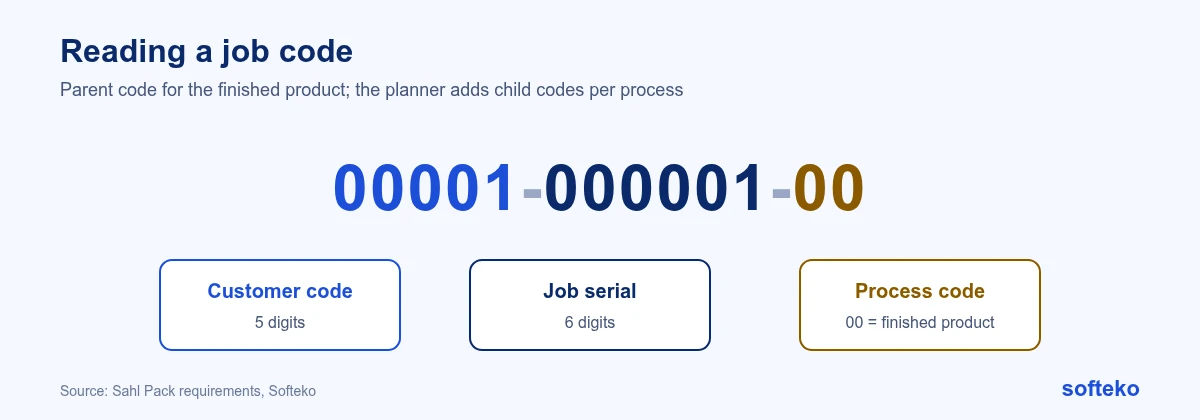
The parent code 00 always means the finished product, used on the sales order and the invoice. The planner later adds child codes for each process. Our article on planning multi-process production covers those. Once the advance is paid, design work follows artwork approval to plate making.
How this maps to Odoo 19
| Step | Odoo 19 | Approach |
|---|---|---|
| Lead capture, tags, reminders | CRM [1] | Standard, plus an API integration with the website |
| Rep visibility rules | CRM access rules | Configuration |
| Tier, complexity score, approvals | CRM fields and approval steps | Configuration |
| Requirement form, duplicate design | Custom form linked to the opportunity | Configuration |
| Feasibility check | Rules against machine limits | Development |
| Draft quotation from calculator | Sales [2] | Development for the calculator, standard Sales for the quotation |
| Advance payment lock | Sales and Accounting | Configuration |
| Job code | Product and sequence settings | Configuration |
For the wider picture, see what Odoo covers as standard for packaging manufacturers.
Checklist for your own enquiry flow
- List every channel enquiries arrive through, and who enters each one.
- Decide which customers need a document check, and which documents.
- Write down every field your estimators ask for today. That is your requirement form.
- Agree which specifications must be reviewed by production before a price is sent.
- Decide who can approve a price below your minimum margin.
- Decide what payment, if any, must arrive before artwork starts.
FAQ
Can customers fill in the requirement form themselves?
In this design, no. The salesperson fills it in after talking to the customer, because customers often do not know micron thickness or gusset limits.
Why check feasibility before quoting?
A quote for a job your machines cannot run either loses the customer later or forces an expensive change. Checking first protects both sides.
Why is the sales order internal?
The customer has already approved the quotation. The sales order is for internal control: it starts artwork, planning and invoicing once the advance is paid.
Does this need custom development in Odoo?
Partly. CRM, Sales and Accounting are standard. The requirement form is configuration. The feasibility check and costing calculator are development.
Map your enquiry flow before you choose software
Write down how one real enquiry moved through your business last month, including every spreadsheet and message. That map is the start of a good specification. Read more about our Odoo implementation service.
References
[1] Odoo, CRM, Odoo 19.0 documentation. https://www.odoo.com/documentation/19.0/applications/sales/crm.html
[2] Odoo, Quotation templates, Odoo 19.0 documentation. https://www.odoo.com/documentation/19.0/applications/sales/sales/sales_quotations/quote_template.html
[3] Screenshots: Odoo S.A., Odoo 19.0 documentation (CRM, Quotation templates), licensed under CC BY-SA 4.0 (https://creativecommons.org/licenses/by-sa/4.0/). https://www.odoo.com/documentation/19.0/